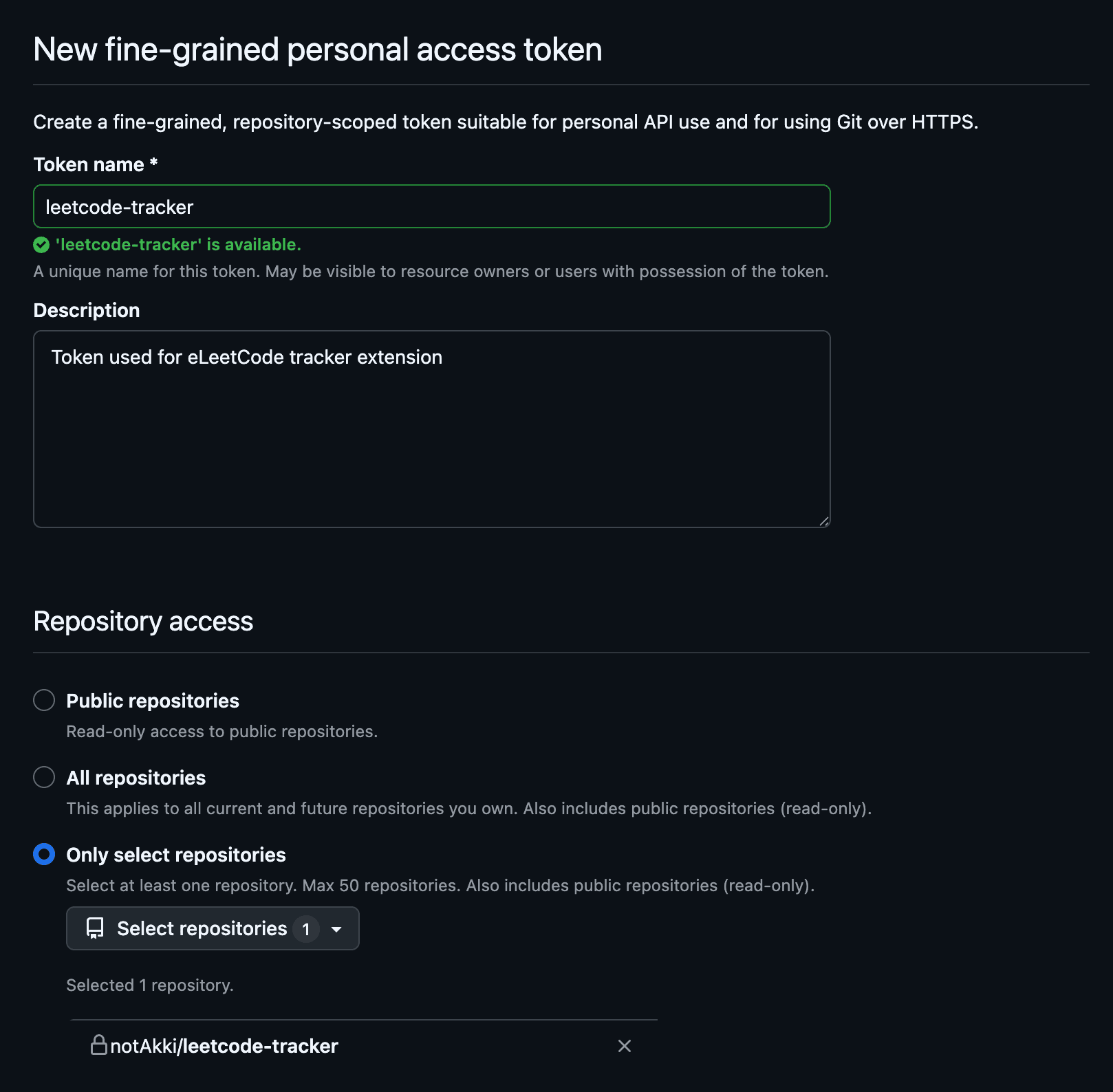
01
Set up your GitHub tracker
Create a repository for your practice data, then generate a fine-grained token with access to it.
Log accepted problems, keep your solutions and notes in one repo, and see what you should review later.
01
Create a repository for your practice data, then generate a fine-grained token with access to it.
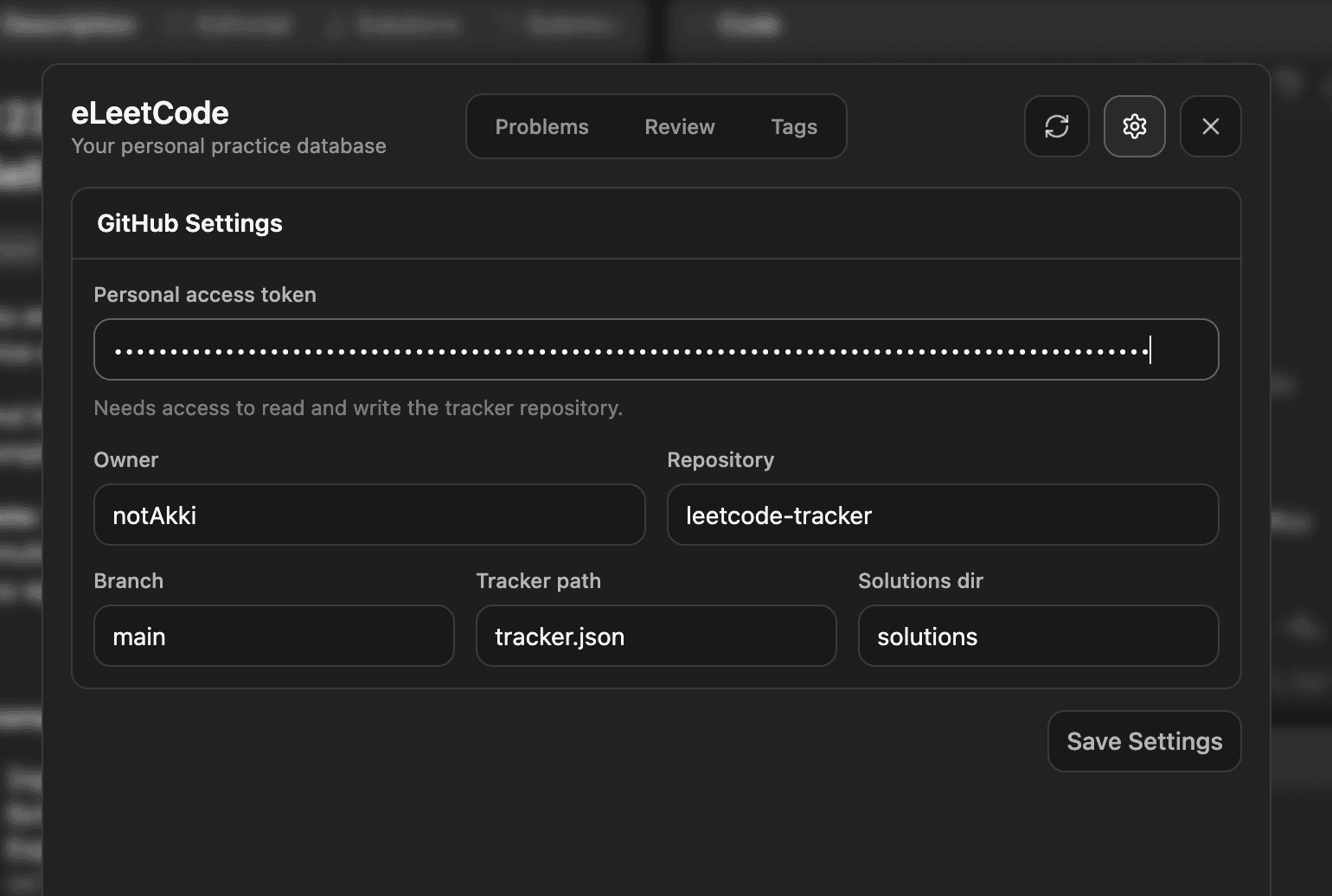
02
Open the extension settings and add your token, repository, branch, and file paths.
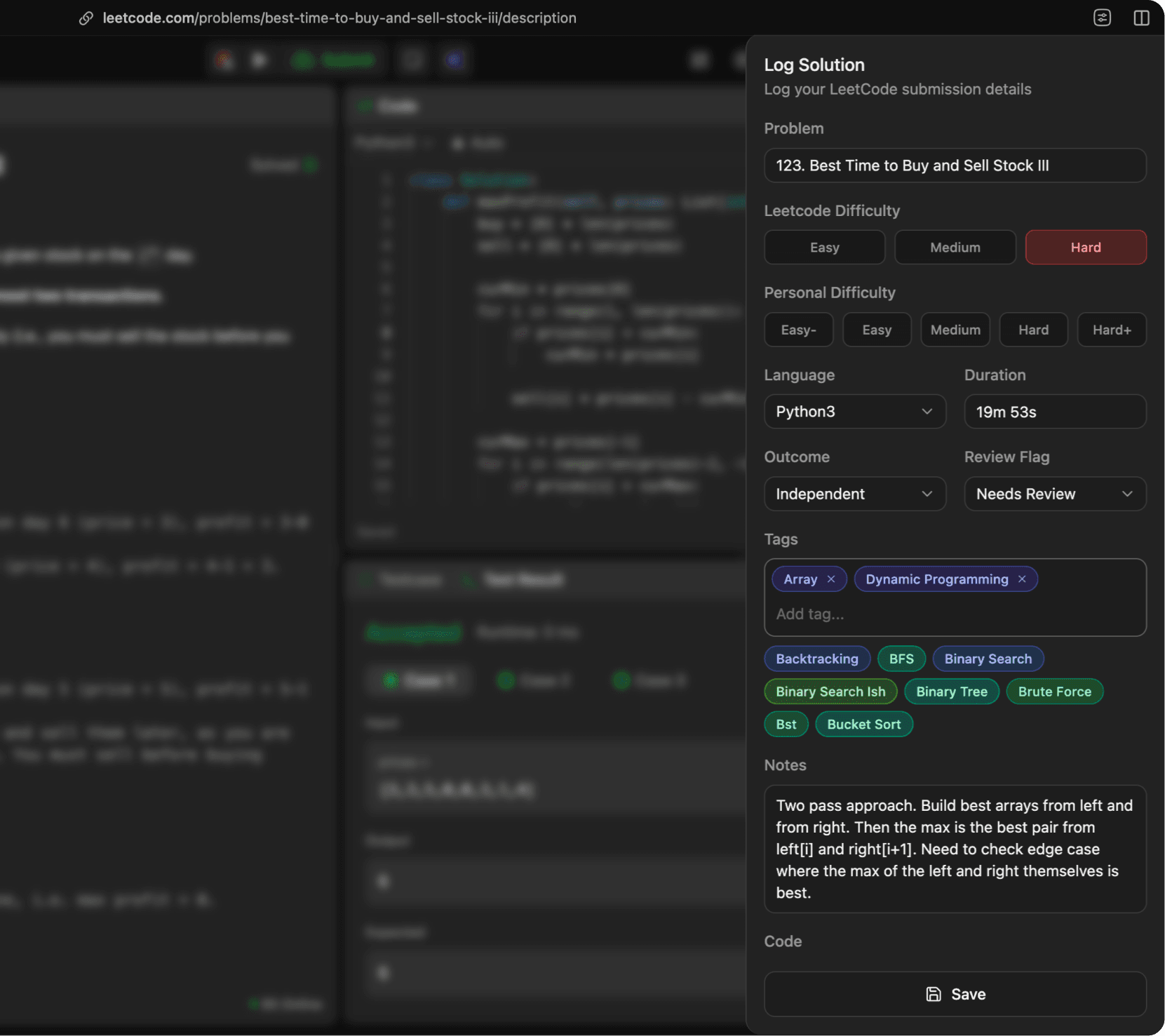
03
After LeetCode accepts your solution, save the code along with any tags, notes, and review details.
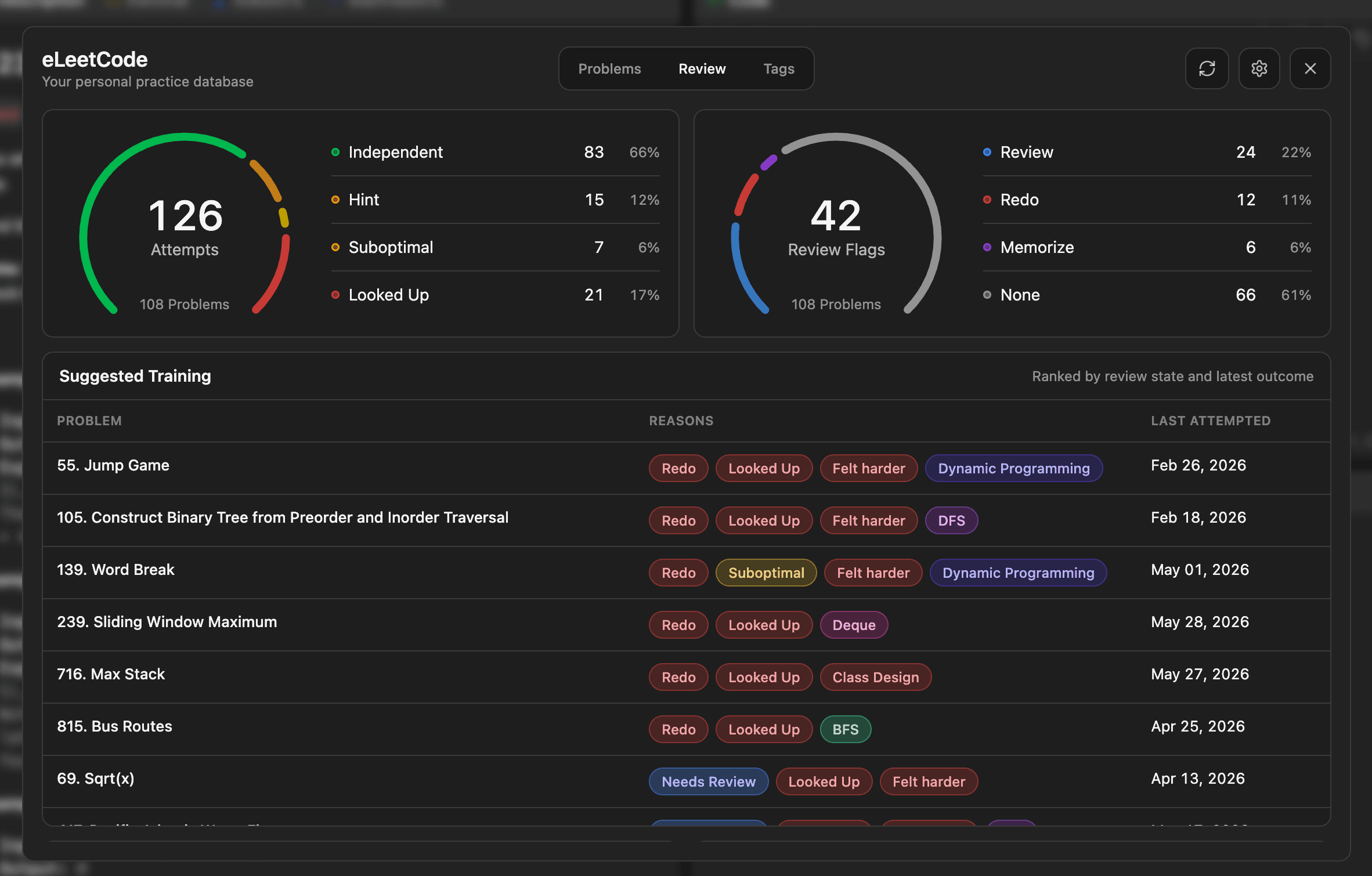
04
Use your history, weaker tags, and review queue to focus your next practice session.